














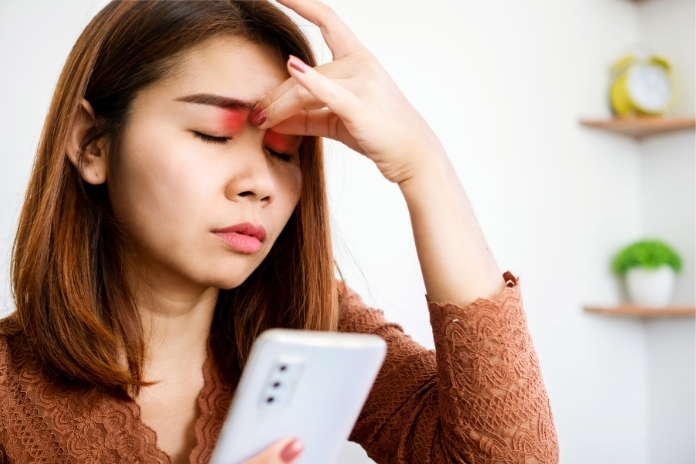
My normal day looks something like this. My phone alarm wakes me up, and I read all the pending messages, reply to those, take a look at the news, and sometimes scroll on social media. Next, I open my work messages and emails to check updates. All this even before I brush my teeth. Even in my downtime, I often find myself on screen.
Is this the case with you, too? Aren’t we all watching something, gaming, or reading on a tablet?
This easy connectivity is the norm for the vast majority of us. Screens no longer merely serve a particular function; they’re integrated into nearly every aspect of our lives. While they provide convenience and access, there’s an unseen price: our eyes work harder than ever before.
Eye specialists have seen a significant increase in cases of digital eye strain, also known as computer vision syndrome, over the past decade. It’s not a rare or occasional problem anymore. People of all ages, including children, are spending longer hours on digital devices, and many are developing persistent discomfort and vision issues as a result.
The good news is that you don’t have to leave your screens behind to maintain healthy vision. With some tiny but routine changes, you can minimize the burden screen time places on your eyes and save your comfort for many years to come.
In the article, we’ll explore what’s happening in your eyes during extended use, how to recognize early signs of eye strain, and simple steps to preserve your vision.
Read More: 8 Innovative Products for Maintaining Eye Health
What Happens to Your Eyes During Prolonged Screen Use

Your eyes are built for variety; they shift focus between close and distant objects, adjusting to different light levels, and blinking to keep themselves moist. But screens and digital devices change how they work.
Slower Blink Rate:
Reduced blinking leads to dryness. Under normal circumstances, you blink 15 to 20 times per minute. This process disperses tears all over the surface of your eye, keeping it moist. However, when looking at a screen, your blink rate slows to around 7 or 8 times per minute. That leaves your tear film evaporating more quickly, resulting in dryness, redness, and even burning after a few hours.
Straining Eye Muscles:
Eye muscles remain tense when you constantly watch screens. To look at something up close takes small muscles within your eyes to contract. In regular life, you take breaks and look at things that are further away. But screens hold your gaze fixed at one distance for extended periods. This constant contraction can cause fatigue, the feeling of heavy eyes, and even difficulty focusing on things far away afterward.
Glare and Blue Light:
Blue light from screens contributes to the challenge. Glare forces your eyes to work harder to see clearly. Blue light, a high-energy wavelength emitted by screens, isn’t necessarily damaging in normal doses, but it can contribute to visual discomfort and affect sleep patterns if you’re exposed late in the evening.
Poor Posture:
Posture plays a role, too. When you bend your neck forward or lean toward a device, you might be gathering unnecessary tension in your shoulders and neck. That tension then migrates upward, worsening headaches and eye strain.
Read More: Home Remedies for Healthy Eyes: 6 Tips to Support Vision Naturally
Signs of Screen Overload (Digital Eye Strain)

Talking about how digital screens impact vision and strain eyes, Dr. Steven Reed, American Optometric Association President, said,” That muscle’s not supposed to stay tight all day long. And if it does, it’s like picking up a lightweight and trying to hold it over your head for hours,” He added, “It’s not hard to pick it up. But after a while, even though it’s not a heavy lift, your body just gets tired.”
Digital eye strain doesn’t develop overnight; it gets worse over time. Being aware of the warning signs is the best way to avoid more serious problems.
Typical symptoms include:
- Dry, irritated, or watery eyes are a very common symptom. Dryness is a cause of scratchiness, whereas over-watering is usually a reaction to dryness.
- There will be blurred or double vision. After prolonged periods of concentration, your eyes might not be able to maintain their sharpness.
- You’ll experience a sensitivity to light. The brightness of screens or the sun might feel abnormally uncomfortable.
- Slower change in focus is another challenge. Switching between the screen and an object nearby might be slower or feel unnatural.
- You have frequent headaches. Particularly in the temples or forehead, this area is usually associated with prolonged visual focus.
If these symptoms happen frequently, it’s a signal that your eyes are being pushed beyond their comfort zone.
Read More: How to Prevent Digital Eye Strain: Tips for Office Workers
Easy Habits to Reduce Eye Strain

You don’t need to drastically reduce your screen time to notice a difference. Rather, concentrate on small, regular tweaks.
The 20-20-20 Rule:
Take a break every 20 minutes to gaze at least 20 feet away from you for 20 seconds. This short rest relaxes your focusing muscles and rejuvenates a healthier blink rhythm. You can set phone reminders or use apps to keep it as a habit.
Blink More Often:
Consciously blink all the way, not fleeting partial blinks. A brief eye-closed pause lasting two seconds can restore the tear film. This is particularly useful with prolonged concentration, such as gaming or video editing.
Adjust Screen Position:
Your screen should be at or below eye level and 20–28 inches away. This minimizes the amount of upward or downward looking and allows for maintaining a neutral neck posture.
Optimize Lighting:
Steer clear of over-contrast between your screen and room light. Apply softer, ambient lighting, and position your screen to reduce glare from windows or overhead lights. If necessary, an anti-glare filter will make a significant difference.
Blue Light: Should You Be Concerned?
Blue light from the sun is necessary for circadian rhythm regulation. The issue with screens is extended duration late in the evening, which can push back melatonin secretion and make it more difficult to sleep.
Blue light from screens doesn’t directly result in eye disease for most individuals. Reducing evening exposure might mitigate strain and enhance sleep quality. The following are some useful options:
- Night mode or blue light filters on your devices, which change the color tone of the screen to warmer hues.
- Blue light glasses, particularly useful if you are working or reading on screens in the evening.
Eye-Friendly Lifestyle Habits

Proper eye care is more than screen settings. Your daily routines can make your eyes stronger and more comfortable.
- Stay Hydrated: Water is vital for tear production. Aim for at least eight glasses a day, more if you’re in a dry climate or use air conditioning often.
- Eye-Friendly Diet: Include omega-3 fatty acids from salmon, tuna, walnuts, and flaxseeds. These help maintain healthy tears. Carrots, leafy greens, and sweet potatoes provide vitamins A and C, which support overall vision.
- Spend Time Outdoors: Gazing off into the distance calms focusing muscles. Even 15 minutes of sunlight can reboot your eyes and lift your mood.
- Regular Eye Check Ups: Most eye problems creep up on you. Check-ups can catch adjustments in advance, and your eyes will be treated on time.
When to See an Eye Doctor
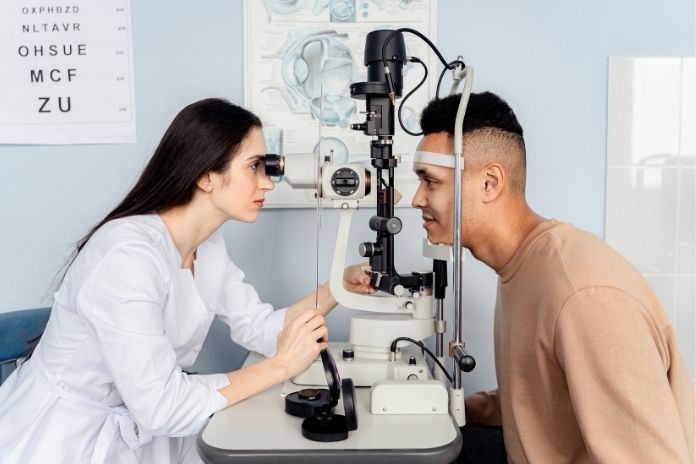
Most screen discomfort improves with better habits. However, some symptoms require instant professional attention:
- If you have recurring blurry vision
- Eye pain or swelling that gets worse
- If you suddenly experience flashes or a loss of complete or partial vision.
- There is a severe sensitivity to light
Early diagnosis can stop more serious issues.
Final Thoughts
Screens aren’t going away, but that doesn’t require your eyes to suffer. By taking breaks, having your screen positioned just right, blinking more frequently, and living a healthy lifestyle, you can significantly reduce eye strain and protect your vision in the long run.
Your eyes are struggling for you every waking moment; a bit of care each day goes a long way in making them healthy for years to come! Manage screen time well, and improve your vision.
References
- https://eyeonevanston.com/the-best-vitamins-supplements-for-dry-eyes/
- https://www.sutterhealth.org/health/screens-and-your-sleep-the-impact-of-nighttime-use
- https://pmc.ncbi.nlm.nih.gov/articles/PMC7993415/
- https://pushpanjalieyecare.com/blogs/how-important-it-is-to-take-breaks-between-work-for-your-eyes/
- https://www.dippleconway.co.uk/digital-eye-strain/
- https://kraffeye.com/blog/how-to-protect-eyes-from-mobile-and-computer-screens
In this Article