













Hybrid work is now the permanent operating model for millions of professionals. In 2026, work is split across offices, home setups, co-working spaces, and travel desks. Work has become flexible. Ergonomics often hasn’t.
As remote and hybrid schedules expanded, so did back pain, neck stiffness, wrist strain, and posture-related fatigue. Studies show that nearly 60 percent of remote workers now report musculoskeletal issues linked directly to poor workstation setup, not workload.
This shift changes how posture support for remote work must be approached. It’s no longer about comfort or aesthetics. It’s about maintaining alignment, limiting cumulative strain, and protecting long-term productivity across changing environments.
The right ergonomic work products in 2026 can reduce fatigue and support healthier posture, but only when chosen intentionally. Hybrid work demands a structured approach, not random upgrades.
Quick Comparison: Essential Ergonomic Work Products 2026
Hybrid and remote work demand ergonomic solutions that work across locations, not just at a fixed office desk. In 2026, the most effective office ergonomics tools are flexible, portable, and designed to support posture across long screen hours and changing environments.
The table below breaks down the most widely used ergonomic work products in 2026, highlighting what each one actually solves and how well it fits hybrid work routines.
Ergonomic Essentials
Essential Ergonomic Work Products 2026
| Product | Core Benefit | Best For | Budget Option | Hybrid Friendly |
|---|---|---|---|---|
| Ergonomic Chair | Full spinal alignment | Long desk sessions | Yes | Yes |
| Standing Desk | Movement & circulation | Remote professionals | Yes | Yes |
| Lumbar Cushion | Lower back relief | Non-ergonomic chairs | Yes | Yes |
| Footrest | Leg alignment | Shorter users | Yes | Yes |
| Monitor Stand | Neck posture correction | Laptop users | Yes | Yes |
| Wrist Support | Repetitive strain reduction | Heavy typists | Yes | Yes |
| Posture Trainer | Habit correction | Slouchers | Yes | Yes |
| Anti-Fatigue Mat | Standing comfort | Sit-stand desks | Yes | Yes |
| Active Sitting Stool | Core engagement | Dynamic workers | Moderate | Yes |
| Blue Light Glasses | Eye strain reduction | Screen-heavy roles | Yes | Yes |
Entry-level options exist for nearly every category, making ergonomic improvements accessible without major investment. Higher-end products typically offer more adjustability, durability, and longer warranties.
Many American employers now provide ergonomic equipment stipends ranging from $200 to $1,000, making it worth checking with your HR department before purchasing products on your own.
What this comparison makes clear is that posture support for remote work isn’t dependent on a single product. It’s about combining the right tools based on how you work, how long you sit or stand, and how often you change locations.
Why Ergonomics Matters More in Hybrid Work
Traditional offices at least offered consistency. Standardized chairs, fixed desk heights, and predictable monitor placement created a baseline for posture support. Hybrid work removes that baseline. One day, you’re at a fully equipped desk. Next, you’re working from a dining chair or a hotel setup, never meant for full workdays.
That constant variation forces the body to compensate. The spine adjusts to shifting seat heights, the neck to changing screen levels, and the wrists to whatever surface is available. Over time, these repeated adjustments create cumulative strain instead of recovery.
Research demonstrates that ergonomic interventions effectively reduce work-related musculoskeletal pain, particularly in the lower back, upper back, neck, wrist, and ankle regions. Ergonomic workstation modifications can significantly reduce complaints across multiple body regions in office workers. Even mild forward head posture dramatically increases cervical load, and those forces compound over weeks and months.
This is why posture support for remote work must be intentional. The goal isn’t perfect ergonomics everywhere. It’s consistent support across environments. An ergonomic desk setup in 2026 is preventative maintenance that protects focus, comfort, and long-term physical resilience.
Warning Signs Your Setup Needs Attention: Pay attention to these symptoms that indicate your workstation requires adjustment:
- Persistent tingling or numbness in hands and fingers (potential carpal tunnel warning)
- Frequent headaches, especially in the afternoon
- Pain that worsens as the day progresses
- Difficulty finding a comfortable sitting position
- Hip or lower back pain when standing up after sitting
- Shoulder tension that doesn’t resolve overnight
- Neck stiffness that limits your range of motion.
If you experience any of these regularly, assess your workspace before the issue becomes chronic.
The 10 Best Ergonomic Work Products 2026
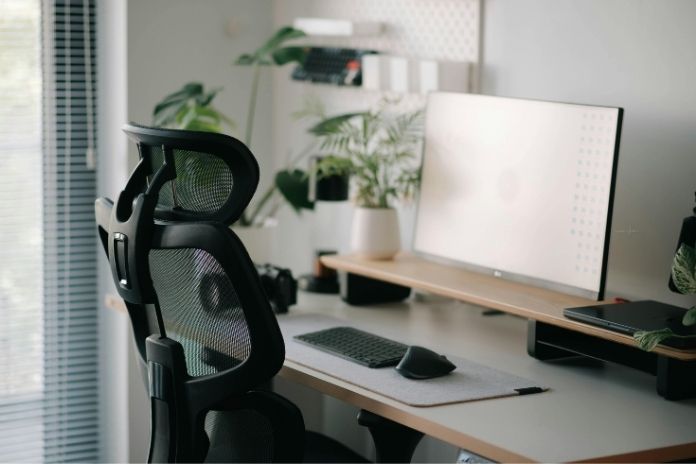
Hybrid and remote work have changed what ergonomics needs to deliver. In 2026, the best solutions aren’t bulky or office-bound. They’re flexible, adaptive, and designed to support posture across changing work environments.
This list focuses on ergonomic work products for 2026 that actually protect alignment, reduce strain, and fit the realities of hybrid work.
1. Ergonomic Office Chair
A chair sets the foundation for posture support. It dictates pelvic position, spinal curvature, and upper-body alignment, especially critical during long hybrid or remote work sessions.
Top Pick: TRALT Ergonomic Office Chair
This chair strikes a solid balance between adjustability and comfort, with lumbar support, breathable mesh, and armrests that help maintain neutral posture across hours of screen time.

TRALT Office Chair
We recommend TRALT Ergonomic Office Chair designed for all-day comfort, featuring breathable mesh, adjustable lumbar support, reclining backrest, and sturdy base—ideal for home office productivity, posture support, and smooth mobility.
*Purchases through this link support our research at no extra cost to you.
Budget Option: Ergonomic High-Back Mesh Rolling Work Chair
A well-reviewed basic ergonomic chair with adjustable height and back tilt. You’ll still get meaningful improvement in lower-back relief without a premium price tag.

Ergonomic High-Back Mesh Rolling Work Chair
We recommend Ergonomic High-Back Mesh Rolling Work Chair featuring breathable mesh back, adjustable headrest, lumbar support, flip-up armrests, and smooth rolling wheels—ideal for comfortable posture, long working hours, and versatile home office use.
Check Price on Amazon
*Purchases through this link support our research at no extra cost to you.
Choosing the Right Chair for Your Body: Height matters significantly in chair selection. If you’re under 5’4″, look for chairs with seat depth adjustment to prevent pressure behind your knees. Taller users over 6’2″ need chairs with an extended seat pan and higher back support.
Weight capacity ratings aren’t just about durability; they affect cushion firmness and long-term comfort. Most standard chairs accommodate up to 250 pounds; heavy-duty models support 300-400 pounds with reinforced bases and wider seats.
Expected Lifespan: Quality ergonomic chairs typically last 5-7 years with daily use. Replace your chair when you notice permanent seat compression, hydraulic lift failure, or when adjustments no longer hold position. Fabric chairs may show wear faster than mesh, but mesh can stretch over time.
2. Height-Adjustable Standing Desk
Sitting all day increases spinal compression, while standing too long causes fatigue. Alternating between the two is the key to better circulation and posture support for remote work.
Top Pick: FITUEYES Height-Adjustable Standing Desk Converter
A versatile solution for hybrid and remote workers. It fits on existing desks, offers smooth height adjustments, and allows seamless transitions between sitting and standing without losing desk space.

FITUEYES Height Adjustable Standing Desk
We recommend FITUEYES Height Adjustable Standing Desk Converter featuring 32-inch workspace, smooth lift mechanism, sturdy metal frame, dual-monitor support, and ergonomic sit-stand flexibility—ideal for improving posture and productivity daily use.
*Purchases through this link support our research at no extra cost to you.
Budget Option: Small Standing Desk
A simple adjustable desktop converter that provides similar posture benefits at a fraction of the cost, making it easy to start alternating positions throughout the day.

Small Standing Desk
We recommend Small Standing Desk featuring height customization, smooth wheels, and storage shelves—ideal for compact spaces, home office use, and flexible sitting or standing workstation convenience.
*Purchases through this link support our research at no extra cost to you.
Building Standing Tolerance Gradually: Don’t jump to standing all day immediately. Start with 15-20 minute standing intervals, three to four times daily. Gradually increase to 30-45 minutes per session over two to three weeks. The recommended ratio is 1:1 or 2:1 sitting to standing.
Most ergonomists suggest no more than 2-3 hours of total standing time in an 8-hour workday. Listen to your body. Fatigue and discomfort indicate you’re standing too long. Set phone alarms or use desktop apps to remind yourself to alternate positions every 30-45 minutes.
3. Lumbar Support Cushion
Not ready to invest in a full ergonomic chair? A lumbar cushion can bridge the gap, offering immediate posture support for remote work and hybrid setups. Proper lumbar support reinforces the natural curve of your lower spine, reducing slouching, spinal compression, and lower-back fatigue during long desk sessions.
A 2013 RCT with 28 participants found lumbar pillows improved lumbar posture and objective comfort measures after 30 minutes of sitting, benefiting both healthy individuals and those with a history of back pain.
Top Pick: Everlasting Comfort Lumbar Support Pillow
This molds perfectly to your lower back and attaches securely to most chairs, providing consistent support even on non-ergonomic chairs.

Everlasting Comfort Lumbar Support Pillow
We recommend Everlasting Comfort Lumbar Support Pillow featuring 100% memory foam, breathable mesh cover, and adjustable straps—ideal for improving posture, reducing back pain, and enhancing comfort in office chairs, cars, or gaming setups.
*Purchases through this link support our research at no extra cost to you.
Budget Option: SAMSONITE Memory Foam Lumbar Pillow
For a more budget-friendly option, the offers breathable support and durable foam at a lower price point, making it a practical choice for home offices and co-working spaces.

Samsonite Memory Foam Lumbar Support Pillow
We recommend Samsonite Memory Foam Lumbar Support Pillow featuring high-grade memory foam, breathable mesh cover, and adjustable strap—ideal for improving posture, relieving lower back pain, and adding comfort to office chairs or car seats.
*Purchases through this link support our research at no extra cost to you.
Replacement Timeline: Lumbar cushions compress over time and lose their supportive properties. Memory foam cushions typically maintain effectiveness for 12-18 months with daily use. Replace when the cushion no longer springs back fully or when you notice yourself slouching despite using it. Gel-based cushions last slightly longer, around 18-24 months.
4. Adjustable Footrest
A footrest isn’t just about comfort. It’s about alignment. When your feet don’t rest flat on the floor, your hips tilt, your spine compensates, and your lower back absorbs the imbalance. This is especially true for shorter users or anyone working at a fixed-height desk.
Top Pick: HUANUO Adjustable Footrest
Provides height and angle adjustments, allowing you to maintain proper leg positioning regardless of desk or chair height. It helps keep your knees at a 90-degree angle and reduces pressure on your lower back during long sitting sessions.

HUANUO Adjustable Footrest
We recommend HUANUO Adjustable Footrest featuring three height positions, 30-degree tilt, and textured massage surface—ideal for improving posture, enhancing circulation, and adding ergonomic comfort during long hours.
*Purchases through this link support our research at no extra cost to you.
Budget Option: Mind Reader Ergonomic Footrest
An affordable option that still delivers the essential height adjustment features for proper leg positioning.

Mind Reader Ergonomic Footrest
We recommend Mind Reader Ergonomic Footrest featuring ergonomic design, height adjustment, and textured surface—ideal for improving posture, boosting circulation, and enhancing comfort during long sitting hours.
*Purchases through this link support our research at no extra cost to you.
Proper Footrest Setup: Position the footrest so your knees are at or slightly below hip level, creating a 90-100 degree angle at the knee. Your thighs should be parallel to the floor or tilted slightly downward.
This position reduces pressure on the back of your thighs and promotes better circulation. If you’re using a standing desk, you may not need a footrest, but consider an anti-fatigue mat instead for standing periods.
5. Monitor Stand or Laptop Riser
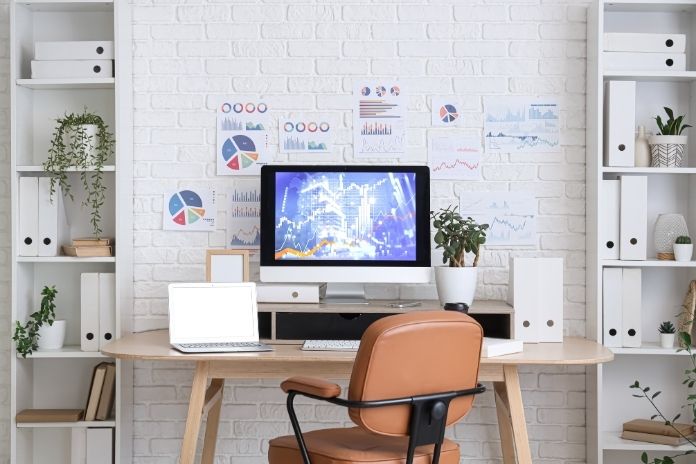
Screen height directly affects neck posture. When your monitor sits too low, your head tilts forward, increasing cervical strain with every glance at the screen. Studies confirm that forward head posture increases load on upper cervical joints and can cause multiple biomechanical symptoms.
Top Pick: The Lamicall Adjustable Laptop Stand
Raises the screen closer to eye level while keeping the base stable, making it easier to maintain neutral neck alignment during long work sessions. It’s especially useful for hybrid workers who rely on laptops as their primary screen. Offers full height, tilt, and swivel adjustments, making it easy to position your screen at true eye level.

The Lamicall Adjustable Laptop Stand
We recommend The Lamicall Adjustable Laptop Stand featuring foldable aluminum design, adjustable height and angle, anti-slip stability, and ventilation—ideal for improving posture, reducing neck strain, and enhancing productivity at home or office.
*Purchases through this link support our research at no extra cost to you.
Budget Option: Amazon Basics Adjustable Monitor Stand
An affordable solution that provides essential height adjustment for proper screen positioning.

Amazon Basics Adjustable Monitor Stand
We recommend Amazon Basics Adjustable Monitor Stand featuring three height levels, sturdy platform, and space-saving design—ideal for elevating screens, improving posture, and organizing workspace accessories efficiently.
*Purchases through this link support our research at no extra cost to you.
Precise Monitor Positioning Guidelines: Your monitor should be 20-28 inches from your eyes (roughly an arm’s length). The top of the screen should be at or slightly below eye level, about 2-3 inches below the horizontal eye line. This means when you look straight ahead, you’re viewing the upper third of the screen.
For dual monitors, position them so the junction sits directly in front of you if you use both equally, or place your primary monitor directly ahead and the secondary at a 30-degree angle. Laptop users must use an external keyboard and mouse when using a laptop stand to avoid the head-down typing position.
6. Keyboard and Mouse Wrist Support
Repetitive wrist movements during typing and mouse work can lead to strain, inflammation, and eventually conditions like carpal tunnel syndrome. Wrist rests help maintain neutral wrist alignment, reducing the angle of extension that causes nerve compression and tendon stress.
Top Pick: The Gimars Memory Foam Wrist Rest Set
It cushions the wrists while encouraging a neutral, straight position during typing and mouse use. The soft contouring helps reduce downward pressure without forcing the wrists into awkward angles, making it well-suited for long desk sessions.

The Gimars Memory Foam Wrist Rest Set
We recommend The Gimars Memory Foam Wrist Rest Set with ergonomic wrist support, non-slip base, and smooth surface—ideal for reducing wrist strain, improving comfort, and enhancing precision during long working or gaming sessions.
*Purchases through this link support our research at no extra cost to you.
Budget Option: KLIM Mouse and Keyboard Wrist Rest Set offers durable cushioning that holds its shape throughout extended use. This can be especially helpful for heavy typists who need consistent support rather than sink-in padding.

KLIM Mouse and Keyboard Wrist Rest Set
We recommend KLIM Mouse and Keyboard Wrist Rest Set featuring gel-infused memory foam, ergonomic design, anti-slip base, and durable cotton cover—ideal for reducing wrist strain, improving comfort, and enhancing productivity during long work or gaming sessions.
Check Price on Amazon
*Purchases through this link support our research at no extra cost to you.
Wrist Rest Care and Replacement: Clean wrist rests monthly with mild soap and water to prevent bacterial buildup from skin contact. Gel and memory foam wrist rests should be replaced every 12-18 months as materials break down and lose their supportive properties.
Signs you need replacement include permanent compression marks, cracks in gel surfaces, or fabric wear that exposes foam. Position wrist rests so your hands glide onto them during breaks, not so you rest your wrists while actively typing, which can increase pressure on the carpal tunnel.
7. Posture Corrector or Smart Trainer
Posture trainers work by providing gentle resistance and reminders when you slouch. While research on posture correctors shows mixed results, they can be effective as temporary training tools, not permanent solutions.
Top Pick: The HLOES Posture Corrector
Designed to gently pull the shoulders back, encouraging an upright position that supports healthier spinal alignment. Opening the chest can improve breathing mechanics and circulation while increasing awareness of how you sit, stand, and walk throughout the day. The real value here is feedback. It reminds your body what correct posture feels like.

The HLOES Posture Corrector
We recommend The HLOES Posture Corrector featuring multiple AC outlets, USB charging ports, and space-saving clamp mount—ideal for organizing cables, powering devices, and creating a clutter-free workstation setup.
*Purchases through this link support our research at no extra cost to you.
Alternative Option: Sundpik Posture Corrector
Offers lightweight support that’s easy to wear during short work sessions or light movement without feeling restrictive.
Using Posture Trainers Effectively: Wear posture correctors for only 20-30 minutes initially, 2-3 times daily. Gradually increase to 1-2 hours maximum as your muscles adapt. Never wear them all day, as this can weaken the muscles that should be supporting your posture naturally. Combine use with strengthening exercises for your upper back and core.
Most experts recommend a 4-6 week training period, after which you should be able to maintain better posture without the device. If you find yourself dependent on the device after 8 weeks, consult a physical therapist.
8. Anti-Fatigue Mat
Anti-fatigue mats reduce standing fatigue by encouraging subtle movements in your feet and legs. This micro-movement promotes circulation, reduces joint compression, and prevents the leg stiffness that comes from standing on hard surfaces.
Top Pick: The ComfiLife Anti-Fatigue Floor Mat
Provides cushioned support that encourages subtle weight shifts while standing. That gentle movement reduces joint pressure and helps prevent stiffness during longer standing sessions.

The ComfiLife Anti-Fatigue Floor Mat
We recommend The ComfiLife Anti-Fatigue Floor Mat featuring 3/4-inch thick high-density memory foam, non-slip base, and stain-resistant surface—ideal for reducing foot, knee, and back discomfort during prolonged standing.
*Purchases through this link support our research at no extra cost to you.
Budget Option: FEATOL Anti-Fatigue Mat for Standing
Offers dependable cushioning and stability, making it a practical addition to home and hybrid workspaces.
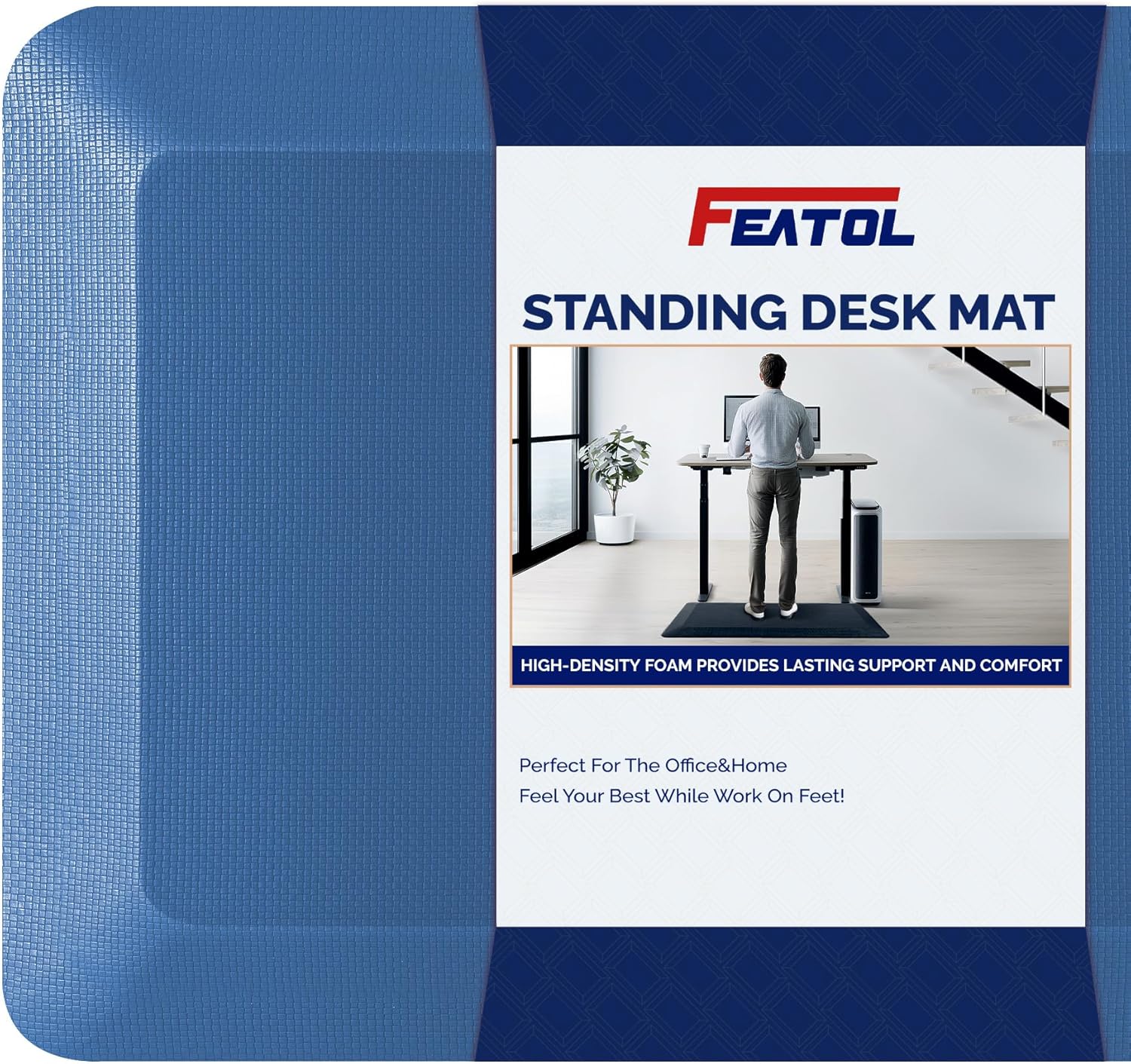
FEATOL Anti-Fatigue Mat for Standing
We recommend FEATOL Anti-Fatigue Mat for Standing featuring touch controls, multiple brightness levels, flexible gooseneck, and eye-caring illumination—ideal for reducing eye strain, improving focus, and enhancing productivity in workspaces.
*Purchases through this link support our research at no extra cost to you.
Integration Note: If you have a standing desk and use it regularly (more than 1 hour daily), an anti-fatigue mat is essential. However, if you’re primarily sitting and only occasionally standing, prioritize the lumbar cushion or ergonomic chair first. The mat only provides value during standing time.
9. Active Sitting Stool
Active sitting engages core muscles and promotes micro-adjustments throughout the day. Unlike static chairs, active sitting tools require subtle balance corrections that keep your postural muscles engaged.
Top Pick: SONGMICS Adjustable Ergonomic Active Sitting Stool
Designed to keep the body subtly engaged. Its curved base allows gentle movement, encouraging upright posture and continuous core activation without feeling unstable. This makes it useful for focused work blocks when you want support without fully sinking into a chair.

SONGMICS Adjustable Ergonomic Active Sitting Stool
We recommend SONGMICS Adjustable Ergonomic Active Sitting Stool featuring adjustable height, ergonomic wobble design, swivel seat, and anti-slip base—ideal for active sitting, improving posture, and comfortable support during standing desk work.
*Purchases through this link support our research at no extra cost to you.
Budget Option: Storex Ergonomic Active Sitting Stool
Offers flexible seating with adjustable height, making it suitable for both seated and perch-style positions. It’s a practical entry point for hybrid workers experimenting with more dynamic sitting.

Storex Ergonomic Active Sitting Stool
We recommend Storex Ergonomic Active Sitting Stool an adjustable ergonomic seating solution promoting movement, better posture, and focus, featuring a cushioned seat, stable base, and versatile use for classrooms or home study.
*Purchases through this link support our research at no extra cost to you.
Active Sitting Guidelines: Don’t use active sitting tools for your entire workday. Alternate between your regular ergonomic chair and active sitting for 30-60 minutes, 2-3 times daily. Active sitting requires more energy and can cause fatigue. It’s most effective mid-morning and mid-afternoon when you need an energy boost. Not recommended during tasks requiring intense concentration or precise mouse work. People with balance issues or lower back injuries should consult a healthcare provider before using these products.
10. Blue Light Glasses
While evidence on blue light glasses remains mixed, many users report reduced eye strain and fewer headaches during extended screen time. Eye strain can indirectly affect posture as you lean forward or adjust head position to compensate for visual discomfort.
Top Pick: The ANYLUV Blue Light Blocking Glasses
Designed to filter high-energy blue light from digital screens, helping reduce visual fatigue and improve screen comfort during extended use. Less eye strain means fewer unconscious posture adjustments and more stable head positioning.
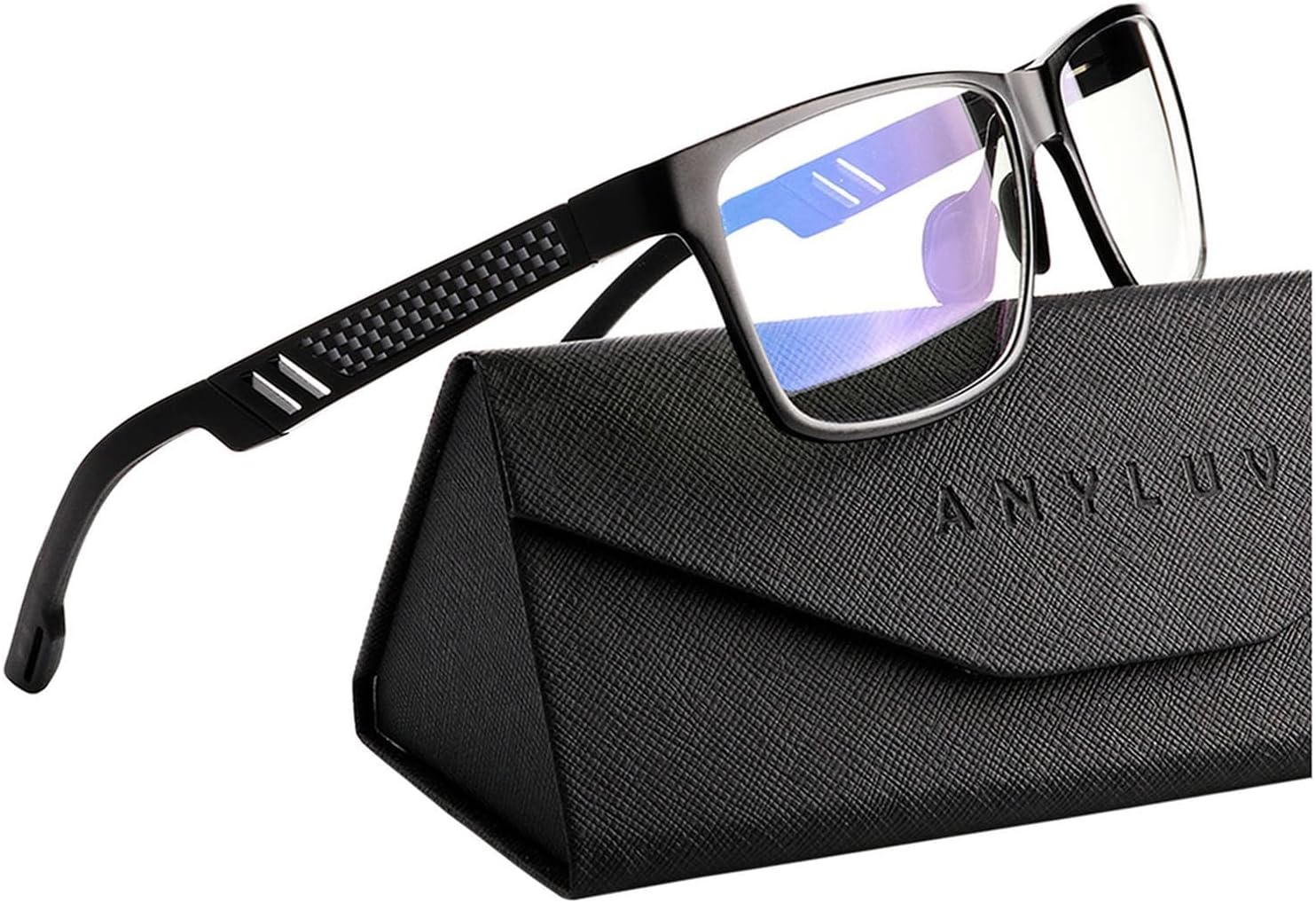
ANYLUV Blue Light Blocking Glasses
We recommend ANYLUV Blue Light Blocking Glasses lightweight metal-frame eyewear designed to reduce digital eye strain, filter harmful blue light, enhance visual comfort, and support prolonged computer, gaming, or screen use.
*Purchases through this link support our research at no extra cost to you.
Budget Option: Oilway Blue Light Blocking Glasses
Provides basic blue light filtration and glare reduction, making them a practical choice for screen-heavy roles and long video-call days.

Oilway Blue Light Blocking Glasses
We recommend Oilway Blue Light Blocking Glasses stylish anti-fatigue eyewear designed to reduce digital eye strain, block harmful blue light, and provide comfortable, lightweight protection for extended screen use.
*Purchases through this link support our research at no extra cost to you.
Beyond Blue Light: Remember that the 20-20-20 rule (every 20 minutes, look at something 20 feet away for 20 seconds) is more evidence-based for reducing eye strain than blue light glasses alone. Proper monitor brightness, positioning, and ambient lighting have stronger scientific support for preventing eye fatigue.
Read More: 10 Best Posture Support Products for Work: Ergonomic Must-Haves
Creating Your Complete Ergonomic Workstation
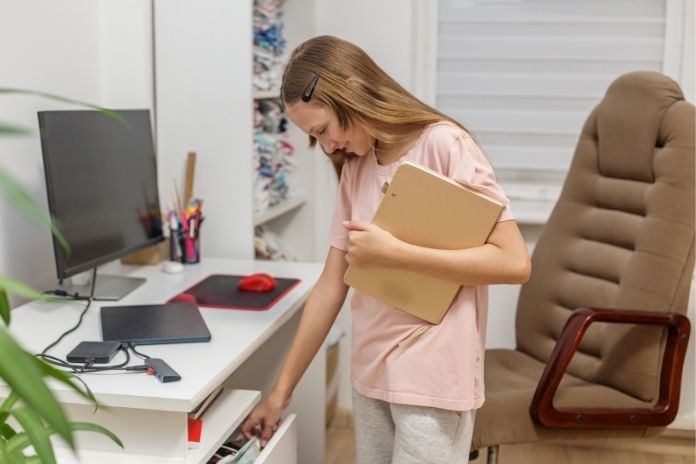
Owning the right products means nothing without proper setup. In 2026, ergonomic desk setup isn’t about rigid rules. It’s about creating adaptable support systems that work across your hybrid schedule.
Quick Workspace Assessment Checklist
Before buying new products, evaluate your current setup:
- Can you sit with your feet flat on the floor without your chair being too low?
- Is your monitor at eye level when you look straight ahead?
- Are your elbows at 90 degrees when typing?
- Can you reach your mouse without extending your arm?
- Does your lower back touch your chair’s backrest?
- Are you sitting within an arm’s length of your screen?
If you answered no to three or more questions, your workspace needs adjustment.
Desk and Chair Height Alignment
Your chair height should allow your feet to rest flat on the floor with your knees at a 90-degree angle or slightly greater. If your desk is fixed-height and your chair must be raised to reach the keyboard comfortably, use a footrest to maintain proper leg positioning.
Your desk surface should be at elbow height when you’re seated with your +shoulders relaxed. For most people, this means a desk height of 28-30 inches. If you’re significantly taller or shorter than average, adjustable desk height becomes crucial. Standard desks are designed for users between 5’8″ and 5’10” and may not accommodate your proportions properly.
Your elbows should form a 90-100 degree angle when typing, with your forearms roughly parallel to the floor. Shoulders should stay relaxed, not elevated or hunched forward.
Monitor Positioning
Position your monitor 20-28 inches from your eyes (roughly an arm’s length away). The top of the screen should sit at or slightly below eye level, approximately 2-3 inches below your horizontal line of sight when sitting upright. This positioning minimizes neck flexion and reduces strain on cervical muscles.
For dual monitors, position them so the gap between screens sits directly in front of you if you use both equally. If one monitor is primary, place it directly ahead, and the secondary at a 30-degree angle.
Laptop users: elevate the laptop screen and use an external keyboard and mouse. This setup eliminates the head-down posture that contributes to forward head posture and increased cervical loading.
Lighting and Glare Reduction
Position your desk perpendicular to windows to minimize glare. If direct sunlight hits your screen, use blinds or curtains to diffuse natural light. Overhead lighting should be adequate but not harsh. Consider a desk lamp with adjustable brightness for task lighting that doesn’t create screen glare.
Remote-Specific Setup Challenges
Home workspaces often lack proper lighting infrastructure. Invest in a quality adjustable desk lamp (5000-6500K color temperature for daytime work). Position it to illuminate your keyboard and desk surface without reflecting on your screen.
In temporary workspaces like coffee shops or hotel rooms, position yourself with your back to windows when possible, allowing natural light to illuminate your work surface without causing screen glare. When working from makeshift spaces, prioritize monitor height and seating support over desk surface area. A stack of books can elevate your laptop even at a dining table.
Productivity and Health Benefits of Proper Ergonomics
Good ergonomics does more than prevent aches. It removes friction from how you work.
When your body is supported in a neutral position, you’re not constantly adjusting, shifting, or bracing against discomfort. That matters. Discomfort competes for attention. The brain quietly diverts energy toward managing strain instead of focusing on the task in front of you.
As Dr. Mohammed Kamran, General Practitioner (MBBS), explains, when a workspace aligns with the body’s natural neutral posture, it eases physical stress and allows you to focus on work instead of fighting discomfort. Reducing that physical distraction improves blood flow, lowers muscular strain, and supports stronger task engagement and performance.
Research consistently backs this up. Optimized workstations improve task accuracy, reduce fatigue-related errors, and significantly lower reported musculoskeletal pain. Better posture also supports healthier circulation. Improved blood flow enhances oxygen delivery to both muscles and the brain, helping sustain concentration instead of crashing mid-day.
For hybrid professionals, posture products for hybrid workers aren’t indulgences. They’re performance tools. They protect output, sharpen focus, and support long-term physical health at the same time.
Additional Tips to Improve Posture at Work

Ergonomic products create the foundation, but daily habits determine long-term outcomes. Posture support for remote work extends beyond equipment into behavioral patterns.
Proper Sitting Posture
Keep your back straight with shoulders relaxed, not hunched. Use lumbar support to maintain natural spine curvature. Avoid crossing legs to ensure even weight distribution.
Your sit bones (ischial tuberosities) should bear your weight, not your tailbone. Sit back in your chair so your buttocks touch the backrest. If you find yourself perched on the edge of your seat, your chair may be too deep or your desk too high.
The 20-20-20 Rule for Eye Strain
Every 20 minutes, look at an object at least 20 feet away for at least 20 seconds. This simple practice reduces eye fatigue and gives your focusing muscles a break from constant near-work.
Set a timer or use browser extensions like StretchClock or Time Out to automate these reminders. When you look away, also do a quick shoulder roll and neck stretch. This combines eye relief with physical movement breaks.
Movement Breaks and Stretching
Stand up and move every 30-45 minutes. Even a brief walk to refill water or a few standing stretches can prevent muscle stiffness and maintain circulation. Research confirms that regular movement breaks significantly reduce musculoskeletal complaints in office workers.
Simple desk stretches:
- Neck rolls (both directions)
- Shoulder shrugs and circles
- Seated torso twists
- Wrist flexion and extension
- Standing quad stretch
- Hip flexor stretches
Schedule stretching breaks like meetings, block 5 minutes every 2 hours specifically for movement. Studies show that scheduled breaks are more effective than relying on remembering to move. For remote workers, these breaks also provide mental relief and help maintain focus.
Phone Call Posture
Using a headset prevents neck strain from cradling a phone between your shoulder and ear. A simple wired or Bluetooth headset is one of the most cost-effective ergonomic investments for professionals who spend significant time on calls.
If you take calls while typing or referencing documents, a headset isn’t optional, it’s essential. The sustained neck flexion and lateral rotation from phone cradling can cause lasting damage over months of repeated use.
Using Ergonomic Accessories
A headset can prevent neck strain from holding a phone. A document holder reduces frequent neck movement when referencing papers while typing. An external keyboard and mouse allow for better wrist positioning when using a laptop.
Employer Reimbursement Programs
Many American companies now offer ergonomic equipment stipends as part of their benefits package, typically ranging from $200 to $1,000. Check with your HR department before purchasing equipment on your own. Some companies require pre-approval or have preferred vendors. Keep receipts for all purchases, even if your employer doesn’t currently offer reimbursement; policies may change.
If your employer doesn’t have a formal program, you may be able to request equipment as a reasonable accommodation, especially if you’re experiencing pain or have a documented condition. Self-employed workers may be able to deduct ergonomic equipment as a business expense on their tax returns. Consult a tax professional for guidance.
Mobile App Integration for Posture Tracking
Smart posture tech works best when it supports a solid ergonomic setup, not when it tries to replace one.
Mobile posture trackers and companion apps can detect slouching patterns, send real-time nudges, and prompt corrective movement before strain builds up. Break and stretch reminder apps reinforce healthier work rhythms, which is especially useful during long remote days when hours blur together.
As Dr. Kenneth K Hansraj has explained in his research on posture and cervical strain, the more time the head spends in a forward position, the greater the stress placed on the spine. Small deviations, repeated over time, create a significant cumulative load. That’s exactly where tracking technology becomes valuable. It catches the small drifts before they turn into chronic strain.
When technology supports a properly aligned workstation, accountability improves. The setup creates the foundation. Real-time feedback helps maintain it.
That combination, structure plus reinforcement, is what turns good ergonomics into sustainable performance.
Read More: Working From Home? Advice For Your Own Ergonomic Home Office 2021
Final Thoughts
Taking care of your posture is essential for long-term health. Investing in the right tools, like an adjustable chair, lumbar support, or a standing desk, helps maintain your body’s natural alignment throughout the workday.
These ergonomic work products 2026 prevent strain in your back, neck, and shoulders. Even small changes in your daily routine can make a significant difference. Improve your posture by sitting with your feet firmly resting on the floor, positioning your screen at eye level, and using a headset rather than holding your phone to your ear.
Movement breaks are functional for reducing tension and keeping your muscles active. Good posture directly affects focus, energy levels, and overall well-being.
With this approach, making simple changes for a healthier workspace becomes straightforward. Prioritize posture support for remote work today for a stronger, pain-free future.

References
- Hansraj, K. K. (2014). Assessment of stresses in the cervical spine caused by posture and position of the head. Surgical Technology International, 25, 277–279.
- Robertson, M. M., Ciriello, V. M., & Garabet, A. M. (2009). Office ergonomics training and workstation adjustments improve musculoskeletal and visual symptoms. Human Factors, 51(1), 124–135.
- Griegel-Moore, G. R., & Edwards, J. (2011). Importance of posture on musculoskeletal health and blood flow.
- Pal, J. (n.d.). Importance of ergonomics in the workplace. Apollo 24|7.
- Architectural Digest. (n.d.). The best office chairs, tested and reviewed.
- Ergonomic Consultants. (n.d.). Top 10 ergonomic products for your home office.
- Weber Knapp. (n.d.). Innovative ergonomic solutions.
- Flexa Careers. (n.d.). 10 must-have products for your work-from-home (WFH) desk.
- Manutan UK. (n.d.). 10 essential pieces of equipment for an ergonomic workstation.
- Micflip. (n.d.). Top 10 desk accessories for work-from-home creators 2026.
- Atlanta Hand Specialist. (n.d.). 6 ergonomic products for work and home.
- Listful. (n.d.). Ergonomic accessories search results.
- Forbes. (n.d.). Best office chairs.
- Hopkins Medicine Health, Safety, and Environment. (n.d.). Recommended products list.
- Grondin DE, Triano JJ, Tran S, Soave D. The effect of a lumbar support pillow on lumbar posture and comfort during a prolonged seated task. Chiropr Man Therap. 2013 Jul 4;21(1):21
In this Article